Claims WorkflowsEscalation and follow-ups
Escalate on your criteria, with the evidence attached.
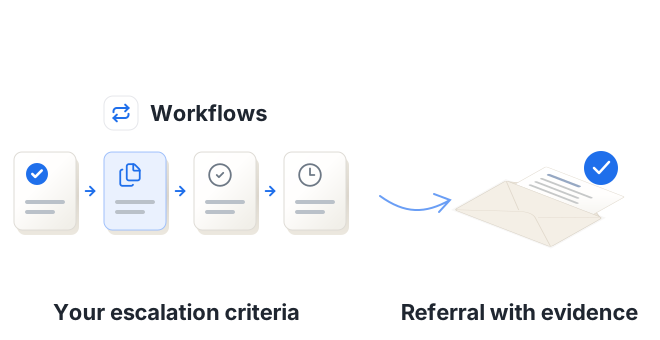
Set the criteria your team already works to, such as a reserve movement above a threshold, a new jurisdiction or a coverage question. Navi flags the files that meet them, drafts the referral and the follow-ups, and keeps track of what's still outstanding.
For complex casualty, property/BI and financial lines claims
The problem
Referrals and chasing take time that should go on the claim
Triggers get missedReferral rules are written down, but applying them depends on someone spotting the trigger in a long file.
Every referral starts from scratchEach referral and insurer update means finding the evidence again and writing it up.
Requests go quietInformation requests go out by email, and nobody has a clear list of which ones are still unanswered.
How it works
Your rules, applied every time a document arrives
Set your criteria
Reserve thresholds, jurisdictions, coverage questions and reporting duties, in the terms your team already uses.
Navi flags and drafts
When a file meets a criterion, Navi drafts the referral or update with the relevant pages attached.
Your handler approves
The handler checks the draft and Navi sends it, then tracks the replies until each request is answered.
Example
A new claim that has to be reported
On our sample Halden Thermal file, with the lead insurer's claims conditions loaded, Navi flagged:
Material development to report to all insurers within 14 days: a new claim notified in Germany
Policy, section B6, p. 16; German counsel letter, p. 2Counsel recommends raising the defence costs reserve from £180,000 to £310,000
UK defence counsel updated report, p. 4Follow-up drafted for the follow insurer, who wants the expert evidence on the valve batch before agreeing the claim attaches
Follow insurer email, p. 1
What you get
What your team gets
- Files that meet your criteria flagged as documents arrive
- Referrals drafted with the evidence attached
- Information requests and insurer updates drafted for approval
- Outstanding requests tracked until they're answered
- Escalations and key decisions recorded consistently on the file
Claims Workflows
More from Claims Workflows
See a referral prepared from the file
We'll load a set of claims conditions, add a new document to a product liability claim and show the referral and follow-ups Navi drafts for the handler to approve. Then we'll scope a pilot on your own files.
Book a demoHosted in Europe · SOC 2 Type II · GDPR compliant